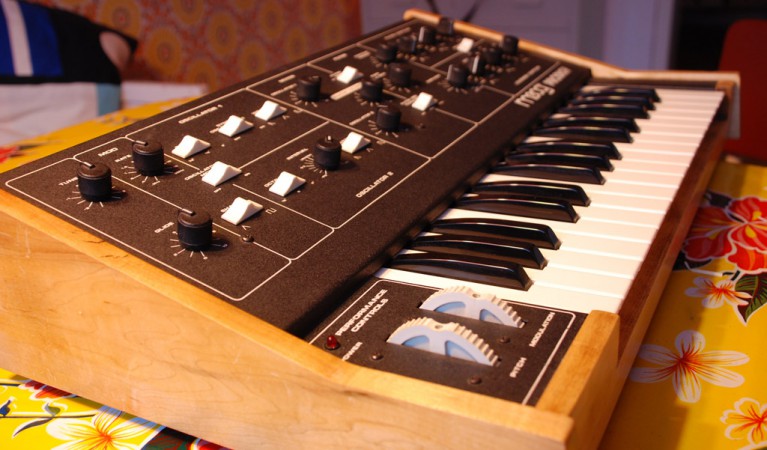
I’ve started developing a reincarnation of the Roland synth programmer PG-800 as a Renoise tool. This is because i recently bought a JX-8P synth, but it’s hopeless to edit, and I want some Renoise script programming practice. With the programmer, you can program sounds for the JX-8P, MKS-70 and JX-10 synths.

So, it’s a Renoise tool with UI elements to edit all the parameters of the synths. All the parameters can be MIDI mapped in Renoise, so I mapped it to the Korg MS-20 legacy controller, so I got an Instant MS-20 PG-800 controller!
The sounds can be saved and loaded as Renoise xml documents. Ideas for future improvement: online sharing of patches and ability to read patches from .syx files and/or sent via MIDI.
I plan to release the tool in a while when it’s nice ebough.
Edit: Here it is: http://blog.cornbeast.com/jxprogrammer
Side panel for midi and dc.
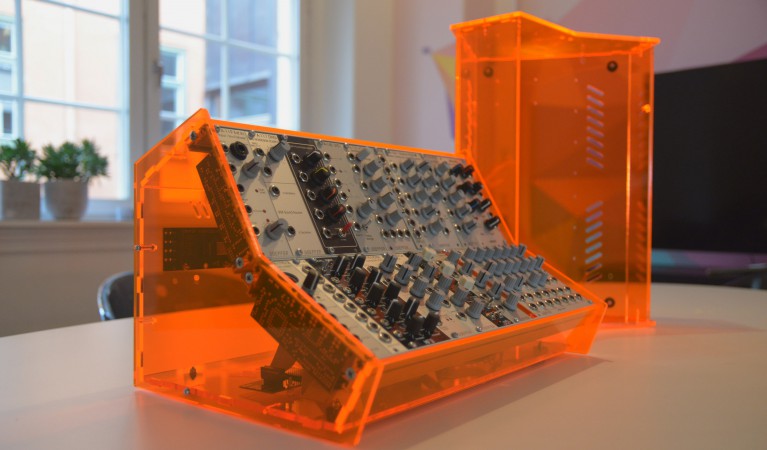
It all looks and work good, but I cant really squeeze all the stuff into box. Right now I now I’m looking more at how to make a diy kit out of it. One part of that is to make a custom PCB. The other part is to find a better enclosure. This is my wish list for it:
* Nice feel, design and finish
* No customization work for me
* Not too expensive
I have looked at a lot of options, but not really found what I’m looking for.
Ok, so I now attached an adhesive photocopy print to the panel. This method suck really really bad, as you perhaps can see. The print is very fragile and attaching it is messy. But hey, it will do as a prototype!


Now I’ve gotten the front panel cut out in aluminium by a water jet cutting company. The result is ok, but I now have learned that water jet cutting is probably not the best method for this. I tried it out because it was quite cheap and cool.
There was quite some work do be done afterwards, the edges are wery sharp and grainy at the same time. Also, the result was not that exact, some holes were not really super-round and some of the button holes were a bit different in size.
The next step is to glue the printed cover there. Now I realize this is too much work, so I have to take another look at into doing panels from Shaefer.


After an intense period of soldering, troubleshooting, coding and testing I got all the components and most of the code in place. So, I would say it’s now 75% done. It’s working like a charm and it is indeed a very nice and inspiring musical creation interface.
Next up it, to make the panel (water jet cutting and printed adhesive sheet), spray paint the buttons (808-style) and then make a rad demonstration video. This is going to take a while I guess…
So, for those interested, let me explain it the basic operation, I guess this assumes that you know a bit how Renoise works:

By turning the instrument knob you select instrument and track in Renoise. By convention instrument 1 (in Renoise 0) uses track 1 and so on. So, right now you cannot work on existing songs unless they are structured in that fashion, but this could be improved in the future.
Once you selected the intrument/track you edit the track with the step buttons and the keyboard, in either “drum machine” mode or “mono synth” mode.
Drum machine mode is pretty standard and works like for instance a TR-707, you select the drum (note on the keyboard) and then you select the steps you want it on.
Mono synth mode works the opposite way, you select the step you want to edit, and you select what note you want to be there. I’ve got some ideas for improvement here, for example that once you enter a note for a step it advances to the next step, a bit more TB-303 like.
By convention, any track that has more than one visible column is considered a drum machine track and any track that has only one visible column is considered a mono synth track. In drum mode, each drum (note) is inserted in to a separate column, starting with the kick drum (c note) in column 1 and so on.
At the top you have buttons and leds for block and loop. The four blocks represent each 16 step part of the pattern that make the 64 steps. By pressing the button you cycle trough which block of the pattern to display and edit.
The loop button lets you loop the block, or loop the current pattern. If none is selected you move along with the song.

Pretty cool huh?
I’ve just created a google code svn repository for Stepbrother. Added a midi boilerplate I have created, both for Arduino and Renoise. A nice start for any project involving MIDI and Arduino or Renoise.
http://code.google.com/p/stepbrother/source/browse/#svn%2Ftrunk